From the workshop
Showcase: Kidboard
Building a calm dashboard for kid independence
“SHORT SLEEVES OR LONG SLEEVES??”
Every single day last fall I heard my 7-year-old kid yell this from the top of the stairs in the morning while getting ready for school. Why do I need to tell them everything? I wanted to be able to give Walker some responsibility and autonomy. I think that’s a big thing that kids are missing these days. And so began the journey of Kidboard.
The real obstacle here is that I’m a software guy and this problem isn’t solved by software alone. I have a Raspberry Pi and I’ve played around with it before, but this was going to be my first real working hardware. That felt like a significant blocker, just figuring out what to use.
But first I wanted to validate my idea. What does a kid need in the morning to feel in control of their day? My mind went to 1) a greeting, 2) what to wear, 3) what’s going on and 4) what day is it. So I built a little prototype with a FastAPI backend hosted on my k3s cluster.
I played around with the idea of manufacturing it and selling it - spent some time pricing things out, thinking about production, etc. - and that honestly took more energy than it was worth. It was premature and got in the way of real progress.
The prototype I built was fine. I used icons for What To Wear and even for the calendar because when I first started this out, Walker didn’t read nearly as well as they do now. But that added complexity - do I need an icon for every possible event? Soccer balls and swim caps and pizza? I toyed with having AI generate an icon on demand. It was dumb and misguided. Why should I need AI for this? That’s an unnecessary complexity and added cost to every day. This rabbit hole was a huge blocker for me. I couldn’t get the design right and it made me doubt that this was a good idea at all.
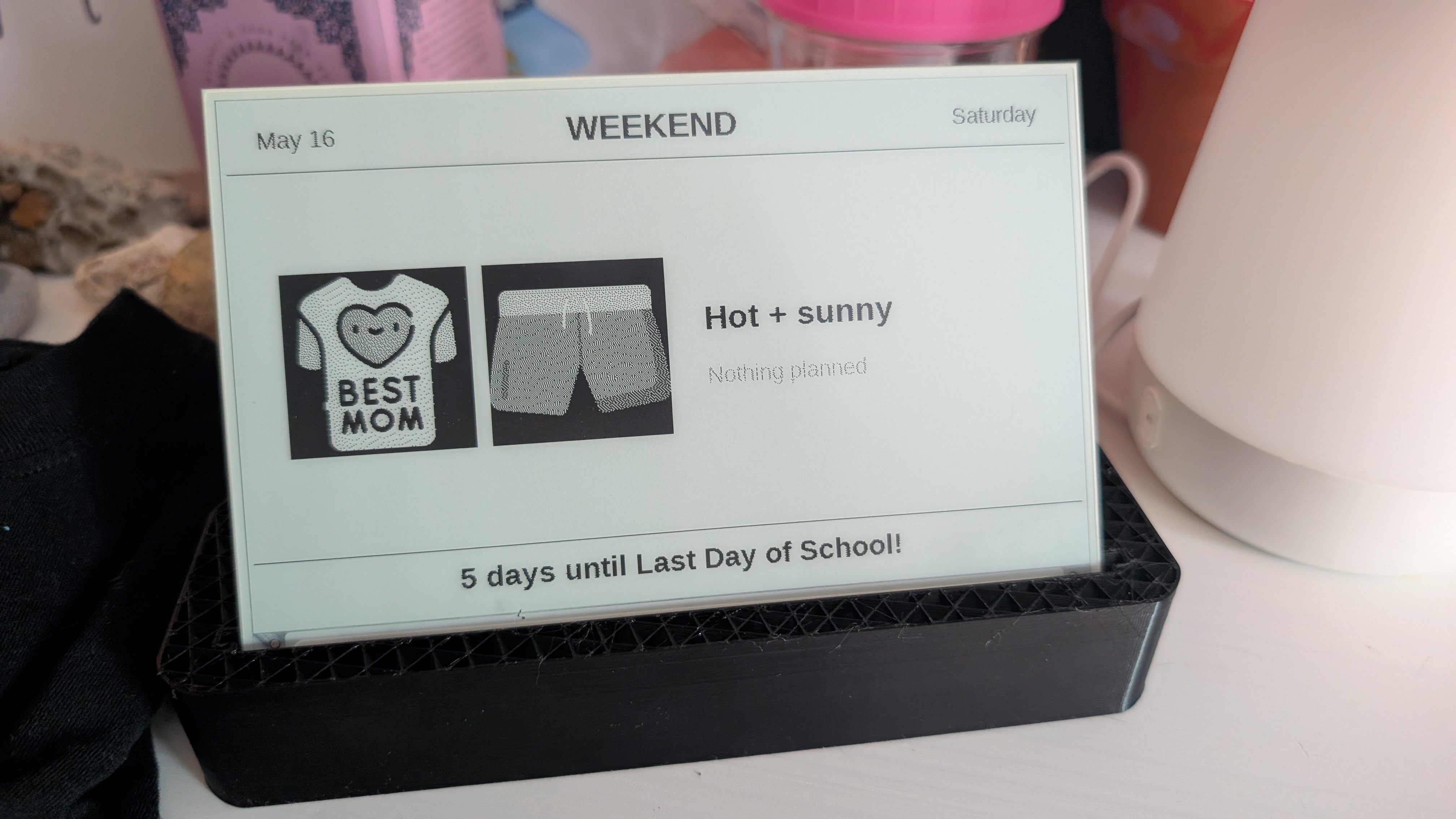
Another problem was just figuring out what would make sense on the hardware side. After some trial and error (first board was faulty) I landed on the Waveshare 7.5” e-paper screen with the Waveshare esp32 dev board + e-paper adapter. I liked the idea of e-paper because then it’s not another screen in the room - it’s calm. You can reference it without it consuming your attention. And there’s no blue light. It’s a bit more expensive, but felt like the right trade-off - though I think a multicolored e-paper would make for a more polished product.
Once I finally got the esp32 flashed and showing the dashboard, I got stuck again, in two different ways: 1) I didn’t have a 3d printer to do a case and 2) the design still didn’t look that good. Claude was helping me, but we weren’t getting good enough results for my high bar of quality. But the real thing that happened was that the problem went away - we hit winter, and thus long sleeves and long pants were the default. So this project sat for about 5 months.
But recently I started getting the question again every morning and finally had enough. I had this project pretty much done, but I’ve got a bad habit of getting things to 90% and then abandoning them (fear of failure if it flops maybe?). I had too many things on my plate and just finishing something felt like the right move.
With the improvements in agentic coding, I wanted to see if Claude could do a better job on the design this time around. I had a better feel for how I wanted it to look, and Walker’s fluency in reading took away some ambiguity around the icon conversation.
One thing I did that really helped on the design - I asked Claude to put up 3 variations of what we were building. Then I could say “I like A, give me 3 variations of that one with [x] changed.” That really unlocked it, as well as asking it for stubbed data so I could see the different situations based on how many events there were, how many icons it needed ( rainy days get an extra coat!), etc. This way of iterating through the design took each pass from a few minutes to a few seconds. Hugely helpful.
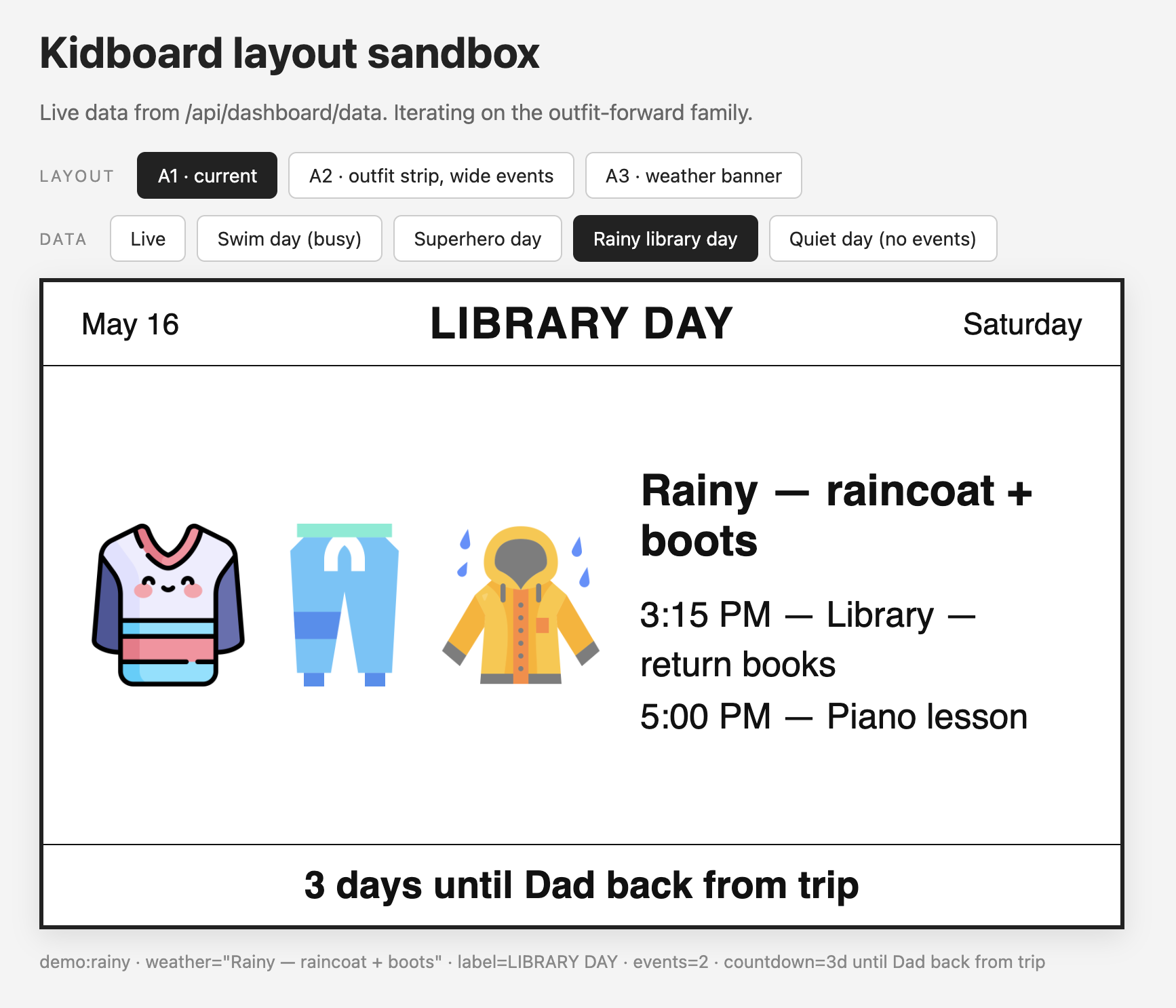
I think my favorite part is the “day label” at the top and the countdown at the bottom. This pulls Walker’s Google calendar data, and I can now add labels for special events. Like yesterday was “Willy Wonka Closing Night!” And right now the countdown is “5 Days until the Last Day of School!”
Last night I 3d printed a stand for it (thanks to my brother Shawn for gifting me his old one). It’s a design I found online, not the custom one I’ll likely work on. And now it’s sitting in Walker’s room and they are so excited about it.
I’m mostly excited about a few extra seconds of peace and quiet. At least until they come rumbling down the stairs to start yet another (slightly less) hectic morning.
Subscribe
New pieces in your inbox when they're published.